
5 AI Prompts That Work Better Inside Your CRM
Published
September 1, 2026Read Time
9 minutes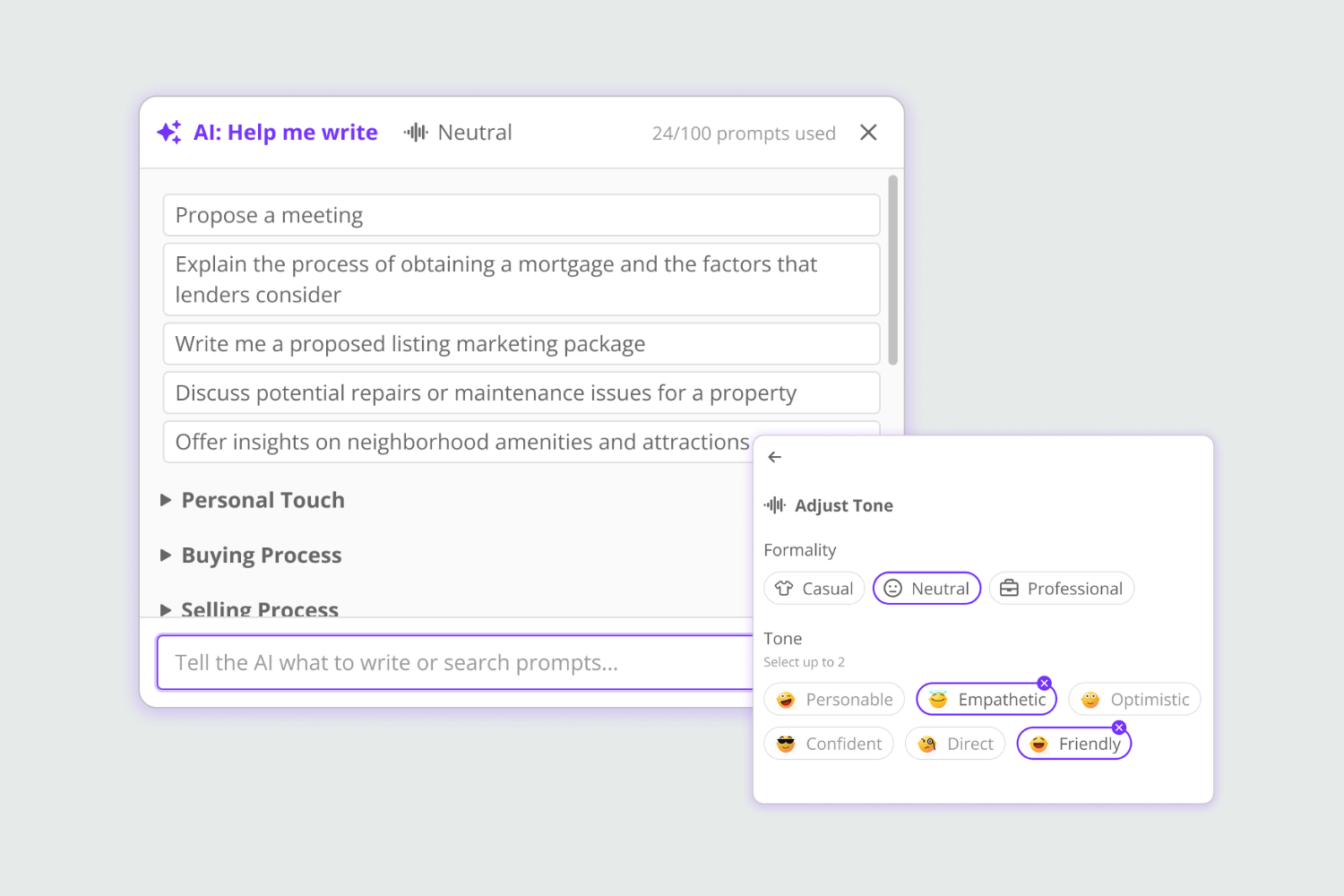


Every AI answer you get can only be as good as the context you remembered to tell it. In a browser tab, that is whatever you can recall on the spot or paste and copy in. In your real estate CRM with AI, it knows the entire relationship.
AI is already part of the daily workflow for many real estate agents. In a 2026 survey from the National Association of REALTORS®, 92% of respondents said they were using AI or planned to use it.
The question is no longer whether AI can help you. We know it can.
The biggest variable is everything you have to explain before it can do it well.
Open an outside AI chat and ask it to help with a lead, and you have a lot of background context to give it:
- First, you need to tell it who the person is
- Then, what they’re looking for
- What you talked about last time
- Where they are in the process
- What happened since then
- What you want to accomplish next
You become the connection between the AI and your business.
Key to success
A real estate CRM with AI built into it changes the starting point. When the AI lives in the same place as your lead history, communication, property activity, and follow-up, you can spend less time reconstructing the situation and more time deciding what to do next.
Here are five things you may be asking AI to do that work differently when the context is built in:
1. “Write the Follow-up.”
Writing an email or text with AI sounds fast until you account for the setup.
You explain who the lead is, what happened in the last conversation, what you want to say, how long the message should be, and how you want it to sound. Then you copy the response back into your CRM and adjust anything the AI got wrong because it didn’t have the full story.
In a real estate CRM with AI, like Brivity’s AI Help Me Write, the support is where you’re writing instead of on a different browser page.
The tool is available anywhere you’re writing in Brivity, including emails, texts, call notes, contact notes, interaction logs, and Auto Plan messages. You can generate a draft, adjust tone and length, or use Improve to work from something you wrote.
An email can be structured like an email. A text can stay short enough to feel like a text.
You still review it. You make sure it complies with all local and national regulations. You still make it sound like you. You just don’t have to rebuild the context and move the draft between systems.
2. “Catch Me Up on This Person Before I Call.”
Call preparation gets long and expensive when every lead requires a scavenger hunt.
You scroll through notes. Check the last email. Look for the last call. Try to remember why they stopped responding. Then notice they viewed three properties this week and realize their situation may have changed.
Gabbi’s AI Lead Summary pulls together context from across the contact record, including:
- Property views and saved homes
- Website activity
- Emails and call logs
- Notes and conversation history
It updates as the activity changes.
Instead of asking an outside AI tool in your browser to summarize information you had to gather first, you open the lead and start with the summary there.
That’s the advantage of a real estate CRM with AI. The lead history and activity don’t need to be recreated for the AI to help.

“Gabbi AI is one of my favorite features. She’s making our processes a lot better with our leads, helping increasing our outreach to convert more deals.”
3. “Give Me a Script for This Call.”
Generic scripts have their place, but a script built around the person you are about to call is much more useful.
With Ask Gabbi, you can ask for a call script from the contact record you’re working on. The response takes the lead’s current status, intent, and journey into account.
That changes the prompt from a general: “Give me a script for following up with a buyer lead.”
To a specific: “Give me a script for this lead.”
The difference is context.
You can also use Ask Gabbi from elsewhere in the CRM, return to previous chats, and use the Prompt Library for requests you make regularly. After the conversation, ask Gabbi to add a note to the lead without leaving the chat.
4. “Who Should I Call Today and Why?”
This is where AI gets especially useful for agents with a database full of people who all look like they could use a follow-up.
A different AI tool in your browser can help prioritize a list, but first you have to build the list.
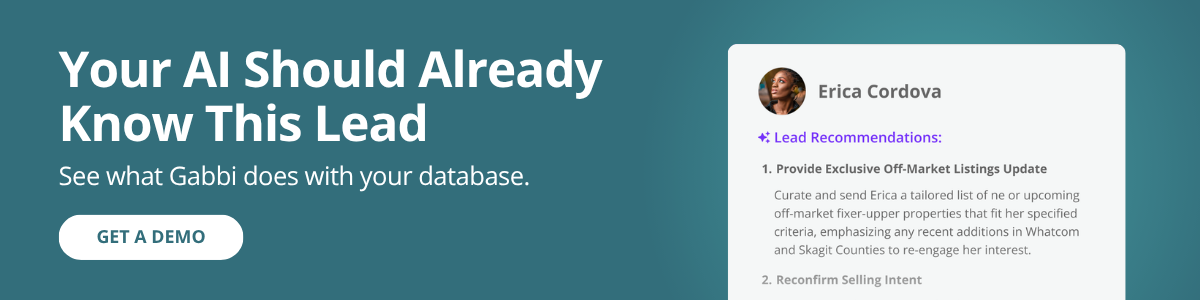
Inside Brivity, Gabbi helps identify:
- Suggested next steps
- Follow-up actions
- Ready-to-use scripts
- Signals that a lead may be ready for personal outreach
Maybe someone started viewing properties again. Maybe engagement changed. Maybe the conversation suggests the timeline has moved.
Gabbi helps surface that indicator and recommends the next move. You make the decision and take the action.
That human boundary matters. AI should help you see what deserves your attention.
A real estate CRM with AI uses the activity in your database to help bring your attention to what may be needed next.
Key to success
For teams, that can also create a more consistent starting point. Agents spend less time deciding where to begin and more time working the database in front of them. That’s where a real estate CRM with AI lead management becomes useful. It helps agents see where attention is needed without asking them to manually sort through the entire database first.
5. “How Do I Do This?”
You need to remember how to use a feature. You want a script for a specific situation. You need a better way to work a segment of your database. You know what you want to accomplish but not the cleanest way to do it.
Ask Gabbi can help with general real estate best practices, Brivity usage questions, scripts, and templates outside an individual lead record.
That distinction matters because the answer is grounded in the tools you have available.
Instead of reading advice and then figuring out how to recreate it inside your CRM, you ask for guidance within the system where you’ll put it into practice.
That’s another advantage of a real estate CRM with AI. The guidance is connected to the system where you’ll put it into practice.
A few habits make Gabbi more useful:
- Ask for a specific outcome and tell Gabbi what you’re trying to accomplish
- Start from the lead record when the question is about a specific person
- Review and personalize scripts, recommendations, and messages before using them
- Keep the CRM current so future summaries and recommendations start with better information

The Magic of AI Is in the Context
AI can draft a text message. Summarize information. Build a call script. Suggest a next step.
The difference between using a real estate CRM with AI and a browser AI is how much work it takes to get useful answers.
When your AI sits outside your real estate technology platform, you have to carry the context from one system to the other. Every prompt starts with some version of: “Here’s what you need to know.”
A real estate CRM with AI built in starts further ahead:
- The lead
- The activity log
- The conversation history
And the tools you’ll use to take the next step are there too.
That’s the advantage of putting AI in the same place where the work happens, from AI lead follow-up to call preparation and next-step recommendations.


Ready to see what that looks like in your business?